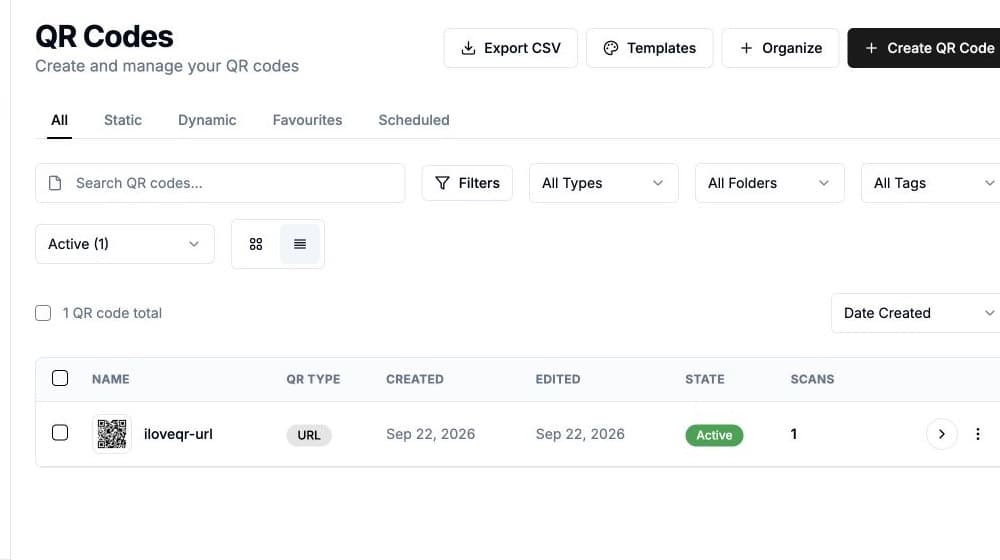
Our powerful dashboard gives you complete control over all your QR codes. Organize with folders and tags, edit content and design, schedule changes, set expiration dates, and manage access permissions. Everything you need to run successful QR campaigns.
Benefits
Folder organization
Organize QR codes into folders for different campaigns or clients.
Tags and labels
Add custom tags to quickly find and filter QR codes.
Bulk actions
Edit, export, or delete multiple QR codes at once.
Scheduling
Schedule URL changes or set expiration dates for campaigns.
Search and filter
Quickly find any QR code with powerful search and filters.
Activity log
See who made changes and when with full audit history.
How to use
Access your dashboard
Log in to see all your QR codes in one organized view.
Organize and edit
Create folders, add tags, and edit QR codes as needed.
Schedule and automate
Set up scheduled changes and automations for hands-off management.